 Lavneet Bansal
Recently I got an Excel file which contained more than 50 worksheets and I needed to split them into individual files.
After a lot of searching, I found this simple VBA script to split excel files into individual worksheet.
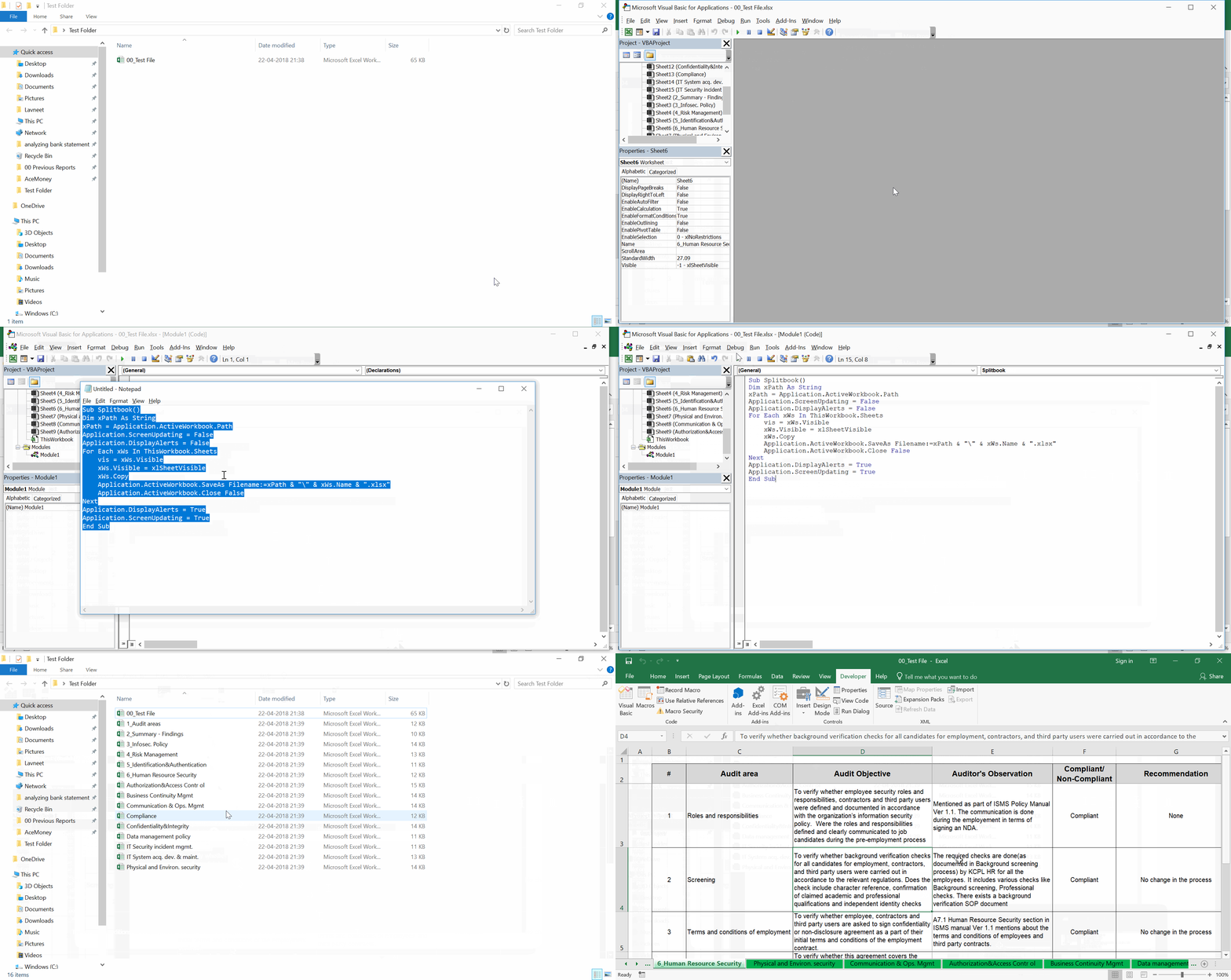
In Excel perform following functions:Sub Splitbook() Dim xPath As String xPath = Application.ActiveWorkbook.Path Application.ScreenUpdating = False Application.DisplayAlerts = False For Each xWs In ThisWorkbook.Sheets vis = xWs.Visible xWs.Visible = xlSheetVisible xWs.Copy Application.ActiveWorkbook.SaveAs Filename:=xPath & "\" & xWs.Name & ".xlsx" Application.ActiveWorkbook.Close False Next Application.DisplayAlerts = True Application.ScreenUpdating = True End Sub
- Go to Visual Basic editor. Developer > Visual Basic (Alt + F11)
- In VB editor go to Insert > Module
- Now copy paste the above script in the Module screen
- Now run the VBA code by pressing F5
- All worksheets (including the hidden sheets), will now be saved as individual files in the same directory as that of original file